

A couple of months ago, I came across a new wave of software that generates AI avatars so realistic they could easily pass as real people. At first, I thought these were just another round of tools for UGC campaigns, but something had shifted, the avatars looked far more convincing than what I’d seen before. That curiosity sent me down a rabbit hole into the world of generative AI and open-source models.
UGC and the Shift to AI Creators
To briefly explain UGC, here’s a little bit of context:
UGC - short for User-Generated Content, has become one of the most effective ways e-commerce brands sell products online. Instead of big-budget commercials, companies partner with everyday creators who film short, authentic videos showing themselves using a product. These feel more real and relatable, and they often convert better than traditional ads.
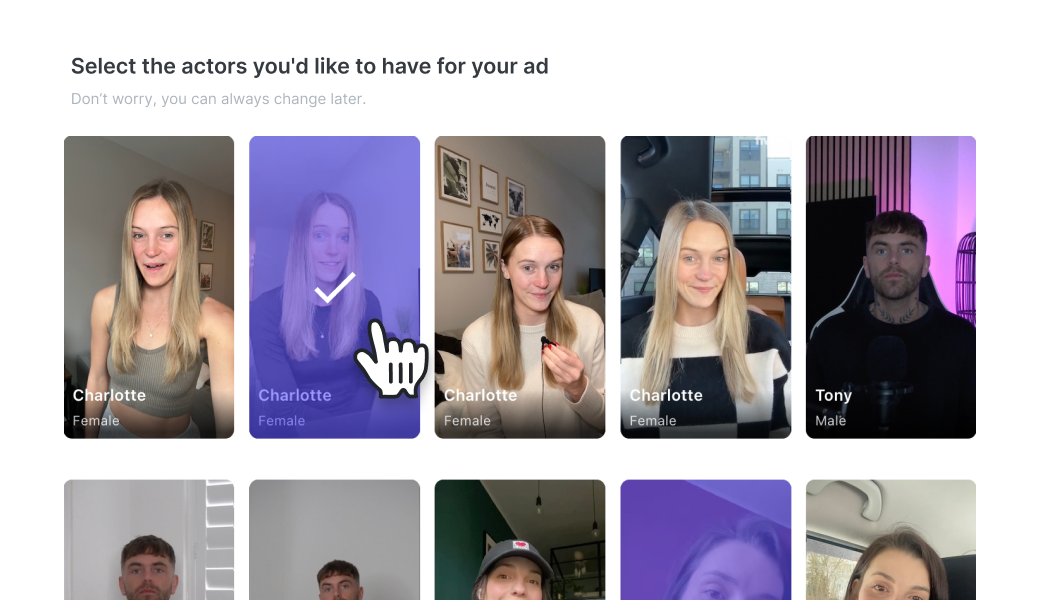
But there’s a shift happening. With AI avatars, the cost of having a “creator” drops dramatically. These digital faces don’t sleep, don’t get tired, and can generate endless variations of content on demand available 24/7. For brands, it means scaling campaigns faster and cheaper than ever before.
Enter Open Source Models
So… how did I ended up down a rabbit hole into the world of generative AI and open-source models and what did I do with that?
What I discovered was an entire ecosystem and even an economy around training, sharing, and using AI models to create ultra-realistic results, all driven by the quality of the data they were trained on.
That’s when I stumbled on ComfyUI. Unlike most AI apps with fixed features, ComfyUI is an open-source platform that lets you build your own workflows for generative AI. It works through a visual interface where you connect “nodes”, each representing a model, tool, or operation to design exactly how your pipeline runs.
From image and video generation to face swapping and restoration, animation, lip-syncing, upscaling and even 3D, ComfyUI gives you fine-grained control. And with custom nodes and LoRAs (Low Rank Adaptation models) created by the community, the possibilities expand even further.
Diving in
Before I threw myself into ComfyUI, I wanted at least a foundation. I spent one hour on a mini-course from Google as an introduction to generative AI, read through documentation, and even listened to a 40-minute podcast about how ComfyUI works.
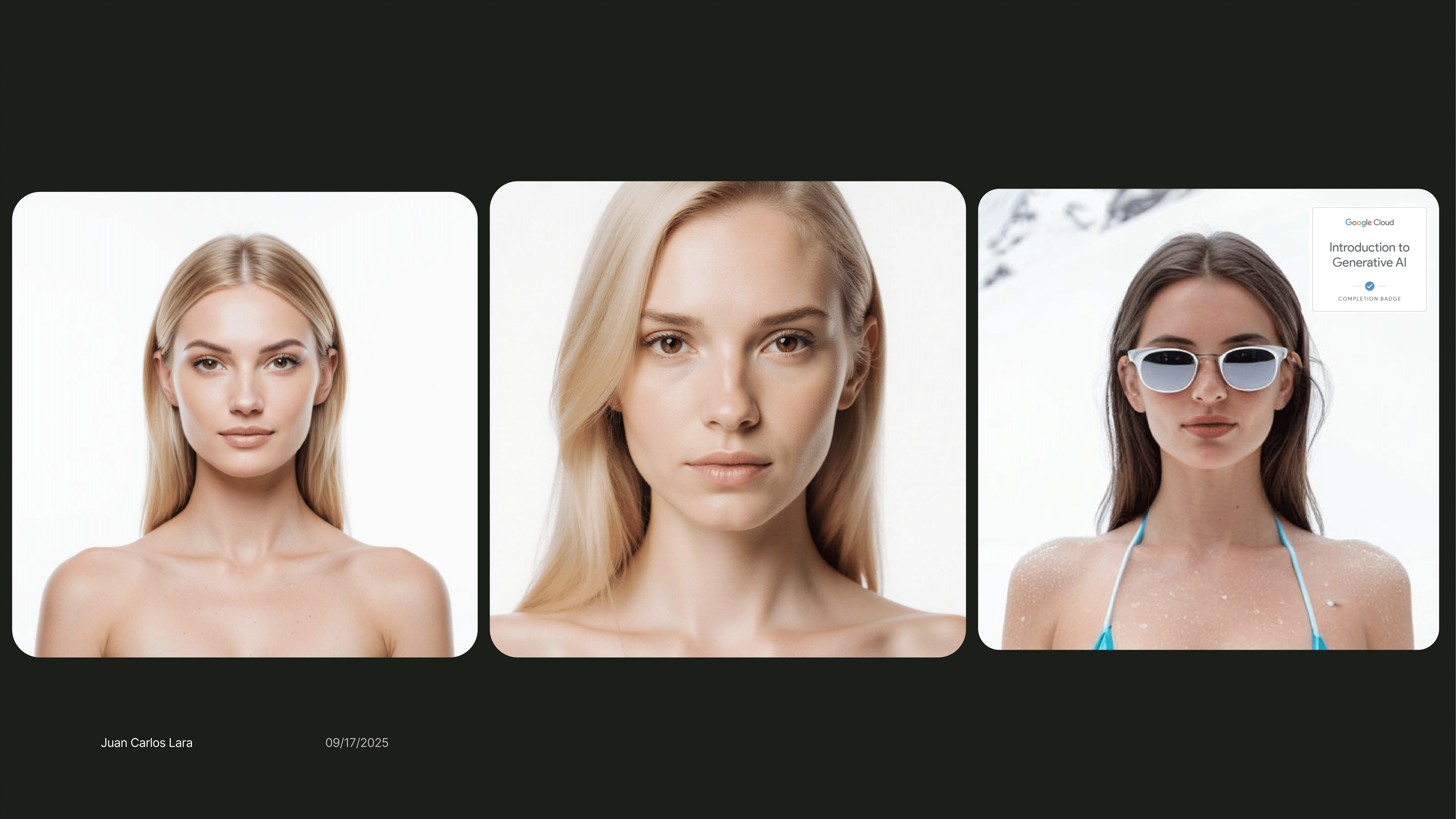
Then came the YouTube rabbit hole a couple of tutorials later, I understood the basics. That same day, I was already generating my first realistic AI avatars with just prompts, simple nodes and encoders.
And honestly? They looked great.
But I wanted to keep going.
I downloaded models from the community, some only a few weeks old, representing the cutting edge of generative AI. What struck me about ComfyUI was the level of control: instead of typing a prompt and hoping for the best, I could adjust parameters directly in the workflow like sampling, de-noising, steps and so on.
Later that night, I pushed further. Using reference images from Pinterest and a specific LoRA (Low-Rank Adaptation) model, I generated avatars so realistic I had to double-check whether they were AI or actual photographs.
"A low-rank adaptation (LoRA) model is a technique for efficiently fine-tuning large, pre-trained machine learning models for specific tasks without retraining the entire model from scratch. It works by freezing the original model's weights and instead training small, lightweight matrices called low-rank adapters, which are added to the model. This method significantly reduces the number of trainable parameters, saving computational power and memory, and allows developers to quickly adapt models to new contexts"The results were magnificent.
Now, every person you see here is AI generated, the reference images were downloaded from Pinterest. These LoRAs let you generate a certain output, the specific LoRA I’m using is for Wan 2.2, an AI model trained to reproduce hyper-realisitc social media native images that are nearly indistinguishable from reality.


You also need to know that generating these images are pretty resource intensive, so you need to have a GPU capable of handling this, the graphics card I’m using is the Nvidia RTX 4060 with 8GB of VRAM. Not bad to start but if you want to create more complex generations like videos, lipsyncs, 3D, etc, you will need more graphics power, even GPU’s with 32-48GB of VRAM are standard now for training these Gen AI models.
The applications are wide, you can use these Generative AI models for Content creation, character design, Advertising campaigns, prototype developments like websites and User Interfaces.
From Images to Video: The Next Challenge
Of course, the next logical step was to move beyond still images. I wanted to take a video, swap a face into it, and render the results.
This is where my smooth progress turned into a five-hour debugging marathon multiple reinstalls, endless dependency errors, CUDA issues, and black screens before I finally reached a working output.
Here’s what I ran into:
Install confusion: The desktop app (Electron) wouldn’t load custom nodes. I reinstalled everything into C:\ comfyui and committed to running it via command line.
Python versions: Some nodes didn’t work with Python 3.13. I downgraded to Python 3.12 and pinned installs with py -3.12 -m pip.
CUDA errors: Torch wasn’t compiled with CUDA, so my GPU wasn’t being used. Fixed it by installing GPU-enabled PyTorch and NVIDIA CUDA runtime packages.
Dependencies hell: Every node had its own requirements.txt Some needed C++ build tools, others broke with version mismatches. Iteration was key.
NSFW filter trap: My outputs were just black screens until I realized ReActor had an NSFW detector filtering everything. I swapped to the Codeberg fork without the filter, and it finally worked.
This wasn’t just installation, it was a crash course in environment management, debugging, and persistence.
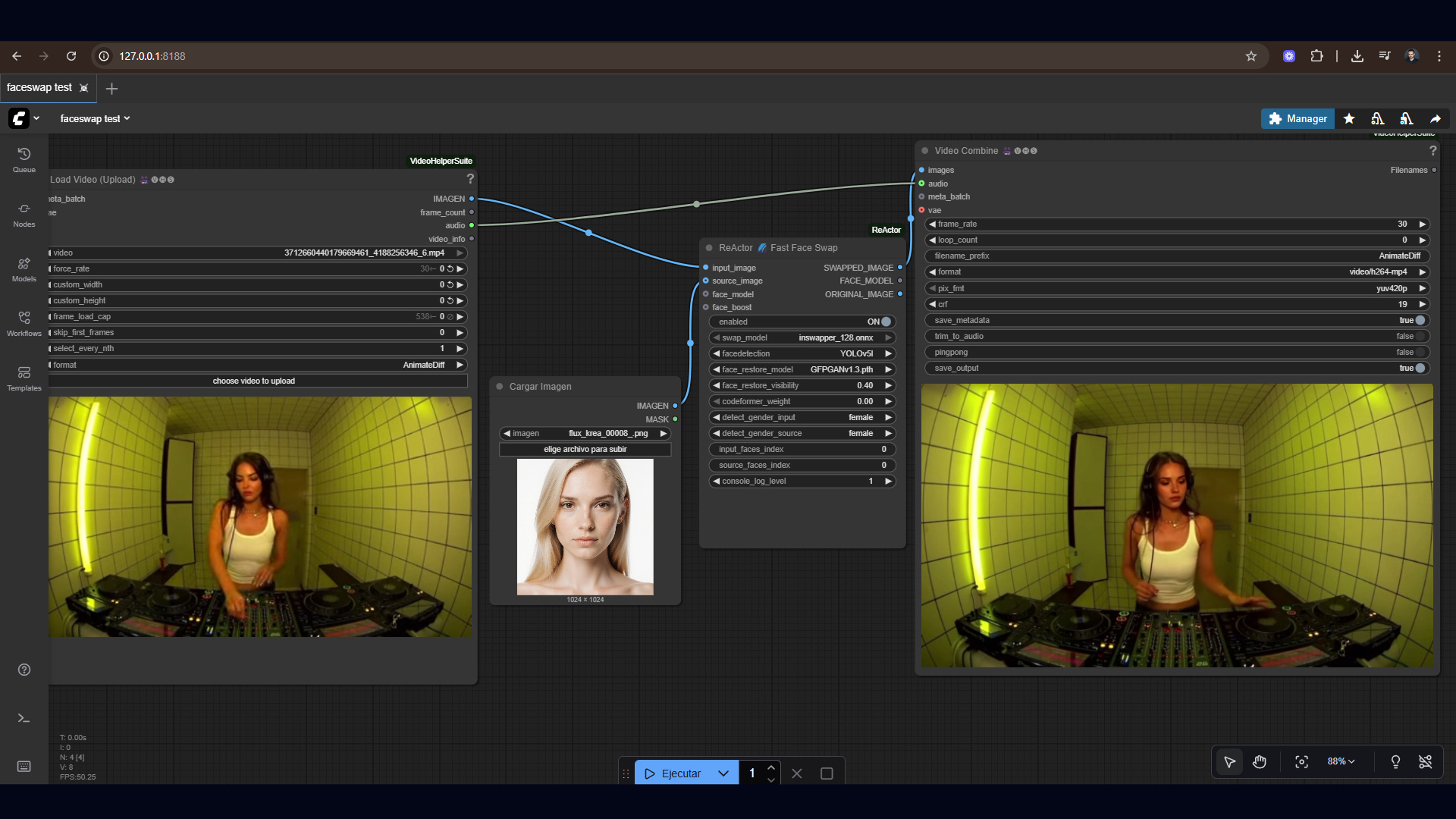
After hours of trial and error, my minimal workflow finally ran:
Load Video → ReActor → Video CombineAnd for the first time, I watched my target face realistically mapped into a video clip.
It wasn’t perfect, there were artifacts and noise to clean up but the core workflow worked.
Here’s what that looked like
Here’s the final video
As you can see, the faceswap works amazing, I wouldn’t believe this is AI. This is how you are able to create consistent characters that maintain the same style throughout multiple iterations and generations, just look at the most famous AI influencer right now Aitana Lopez, look her up on instagram.
This opens up a new era of posibilities for brands, creative directors and IP studios looking to use these tools to tell their stories, accelerate their creative workflows and iterate faster, because AI is not here to replace art, is here to be used as a tool and expand our creative capabilities.
Lessons Learned
Here are my biggest takeaways from this experiment:
Environment setup is 80% of the work. Once that’s right, workflows run smoothly.
Logs don’t lie. A black screen might just be a filter, not a broken node.
Resilience matters. Reinstalling 3 times wasn’t failure it was progress.
Folder hygiene is everything. Models must be in the right directories, or nodes won’t find them.
Iteration beats perfection. Testing with short clips saved hours of frustration.
Why This Matters
This wasn’t just about swapping faces in a video. It’s about what tools like ComfyUI represent:
Running AI models locally (no reliance on closed APIs).
Fine-tuning workflows to your exact needs.
Generating ultra-realistic personas and avatars that could power the next wave of UGC, storytelling, and virtual creators.
The economy around generative AI is only growing, and learning to navigate these tools is like learning to code in the early internet frustrating at first, but a gateway to huge creative potential.
What’s Next
Now that I’ve got the basics working, here’s what I want to try next:
Using CodeFormer or GFPGAN for face restoration to reduce artifacts.
Testing different detectors (YOLO vs RetinaFace).
Automating workflows for batch video runs.
Exploring 3D + avatar pipelines using ComfyUI.
If you want to work with me for creating AI images, AI influencers or UGC videos you can get in touch with me via LinkedIn here: https://www.linkedin.com/in/juancalara/
If you enjoyed the read, subscribe to see more of my work and future experiments.